🎬 YouTube Premium 家庭 Plan成員一位 只需
HK$148/年!
不用提供密碼、不用VPN、無需轉區
直接升級你的香港帳號 ➜ 即享 YouTube + YouTube Music 無廣告播放
iOS 18.6更新出爐:即刻調整呢10個設定,提升你嘅iPhone體驗
蘋果最新推出嘅iOS 18.6版本,雖然係iOS 26正式推出之前嘅最後一次大型更新,但帶嚟咗重要嘅錯誤修正同安全提升。無論你係剛更新完定係好耐冇仔細睇過設定,都係時候俾你嘅iPhone做一次全面調整,令日常操作更加順暢同貼心。以下係10個我試用後覺得最實用嘅設定,簡單易用,唔使係科技達人都可以輕鬆完成。
關閉郵件App嘅分類功能
郵件App新加入嘅分類功能會將郵件自動分為主收件箱、交易、更新同促銷幾個類別,幫你整理郵件。不過,如果你覺得呢個分類唔啱用,或者想保持郵件按時間排序,可以喺分類最右邊滑到「所有郵件」睇晒全部郵件;或者直接喺右上角點三點選單,揀返「列表視圖」關閉分類。
自訂鎖定屏幕底部快捷鍵
iOS 18終於容許用戶改變鎖定屏幕底部兩個快捷鍵,之前只能用手電筒同相機。依家你可以換成Shazam音樂識別、開啟暗黑模式、設定鬧鐘、開飛航模式、打開錢包、Tap to Cash付款等功能,甚至可以完全移除快捷鍵,避免誤觸手電筒。方法係長按鎖屏,揀「自訂」,然後揀鎖屏,再刪除或替換快捷鍵,完成後按「完成」。
利用Apple Intelligence設定優先通知
iOS 18.4起,Apple Intelligence加入「優先通知」功能,能智能判斷邊啲通知對你最重要,例如來自聯絡人嘅訊息會優先顯示,避免被垃圾訊息干擾。你可以喺設定 > 通知 > Apple Intelligence入面,為每個App開關此功能。
行動按鈕新增多種任務選擇
iPhone 15 Pro、16系列機款嘅行動按鈕代替咗傳統靜音開關,除咗原本嘅靜音切換外,依家可以設定開啟相機、執行快捷指令、利用Visual Intelligence等多種功能。設定路徑係設定 > 行動按鈕,左右滑動選擇想用嘅功能,部分功能仲可以挑選具體操作。
打造全新自訂主屏幕
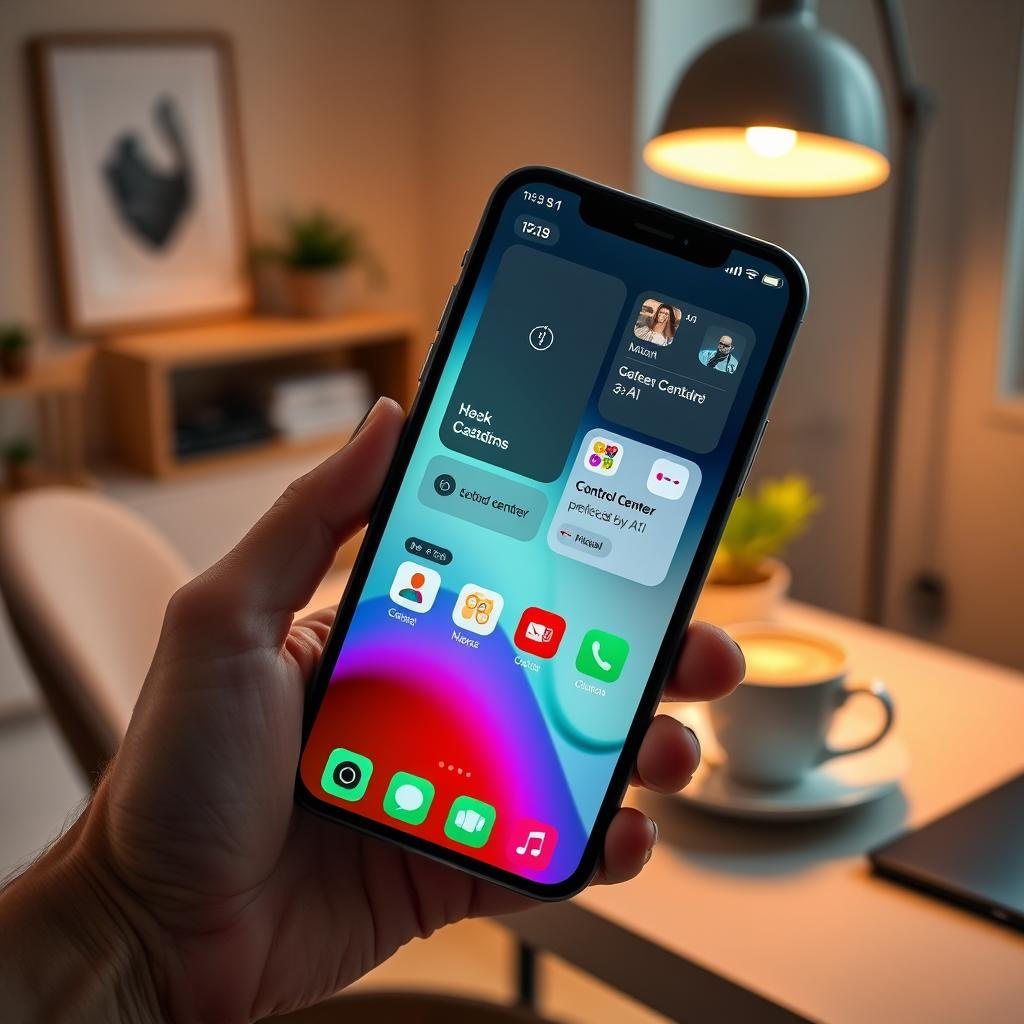
iOS 18容許你更自由地擺放App圖示,唔再被固定嘅格子限制,可以避免遮擋你喜愛嘅壁紙。你可長按主屏幕進入編輯模式,自由拖動圖示。除此之外,部分App圖示可以擴大變成小工具,顯示更多資訊,例如地圖App可以直接顯示你所在地圖同附近地點快捷鍵。暗黑模式亦首次全面支援主屏幕,圖示背景會變黑或者深灰,壁紙亮度會自動調節,仲可以為所有圖示套用統一色調,調校顏色同亮度。
重新排列控制中心畫面
控制中心唔再係單一頁面,iOS 18加入多頁面設計,分別顯示媒體播放、智能家居控制同連接性設置。你可以自由拖動控制項目調整位置,亦可以放大某啲控制項目顯示更多資訊,甚至添加更多功能快捷鍵,例如螢幕錄製同輔助功能。
鎖定及隱藏敏感App
iOS 18新增鎖定App嘅功能,令你可以用Face ID、Touch ID或者密碼保護整個App,避免他人隨意打開。更進一步,你可以選擇「隱藏並鎖定」,將App藏喺App Library嘅隱藏資料夾內,打開時仍需認證。注意部分內置App只能鎖定不能隱藏,隱藏資料夾亦會在離開時自動鎖定。
關閉照片App嘅影片循環播放
iOS 18.2開始,照片App會自動重播影片,對唔少用戶嚟講幾煩。你可以喺設定 > 照片中關閉「循環播放」,令影片播放完即停,另外亦可以關閉「自動播放動態效果」,影片就會等你按播放先開始。
調整行事曆檢視方式
行事曆App嘅月份檢視新增雙指縮放功能,讓你可以放大睇到更詳細嘅活動資訊,或者縮小睇整個月份。日檢視亦新增多日模式,可以同時顯示連續兩日行程,方便你預覽隔日安排,而唔使轉去週檢視。
提升電視App嘅對白清晰度
睇戲劇或者電影時經常聽唔清對白,iOS 18電視App加入「提升對白」功能,可以減低背景音量,提升對白聲音。播放期間,點擊「更多」按鈕,展開音訊設定,選擇「提升」或者「加強」,就能改善聆聽體驗。
—
評論與啟示
呢篇介紹iOS 18.6嘅文章,細緻而全面地點出咗多個被忽略但實用嘅新功能同設定調整,無論係日常使用效率、隱私保護,甚至係介面美觀度都有提升。尤其係自訂鎖屏快捷鍵同主屏幕圖示擺放嘅自由度,反映出蘋果開始放鬆對介面嘅嚴格限制,迎合用戶多元化嘅需求。
鎖定及隱藏App功能,則喺個人資料保護上跨出重要一步,尤其適合有家庭共用裝置或經常借機使用嘅用戶,增加層層防護,減少意外洩露私隱嘅風險。控制中心多頁面嘅設計,亦顯示出蘋果嘗試將功能模組化,令用戶操作更直覺同有條理,提升使用體驗。
不過,呢啲新功能同設定有冇被廣大用戶真正掌握同善用,就要睇蘋果點樣喺後續更新中加強教學同介面引導。畢竟好功能冇人用都係白搭。未來iOS若能更智能地根據用戶習慣自動優化設定,或者提供情境化建議,將會更貼近用戶需要。
總括而言,iOS 18.6嘅細節改進雖然唔係革命性,但係點滴積累下,能顯著提升iPhone嘅流暢度、個人化同安全性,反映蘋果持續用心打磨用戶體驗。用戶亦應該趁機深入探索設定,將手機調校至最適合自己嘅狀態,發揮手機最大效能。
以上文章由特價GPT API KEY所翻譯及撰寫。而圖片則由FLUX根據內容自動生成。



![{
"image_generation_request": {
"prompt": "Ultra-realistic portrait of a man walking toward the camera on an airport runway at night He wears a white long-sleeve shirt with sleeves rolled up and dress pants, shoes. The camera is very close, capturing his face sharply - textures of skin, smoke from his lips, and subtle reflections of firelight in his eyes. Behind him, slightly out of focus, a commercial airplane is burning intensely, with huge flames, roaring firestorms, and thick black smoke rising high. The fiery glow casts dramatic orange highlights on his shirt and face, creating deep shadows and a gritty, cinematic mood. Wet runway reflects the blaze, enhancing the dramatic atmosphere.",
"dimensions": {
"width": 1200,
"height": 1200
},
"style_descriptors": [
"Cinematic",
"Photorealistic",
"Gritty",
"Dramatic Lighting",
"Macro Photography",
"8k resolution"
],
"subject_details": {
"action": "Walking toward camera, smoking",
"clothing": "White long-sleeve shirt (rolled sleeves), dress pants, shoes",
"facial_features": "Sharp focus, skin texture, firelight reflection in eyes"
},
"environment_details": {
"location": "Airport runway at night",
"background": "Commercial airplane burning, intense fire, thick black smoke, out of focus",
"ground": "Wet runway, reflecting fire"
}
}
}](https://ssfuture.shop/wp-content/uploads/ai_gen_1765251172-300x300.png)